Console Skeleton Project Overview
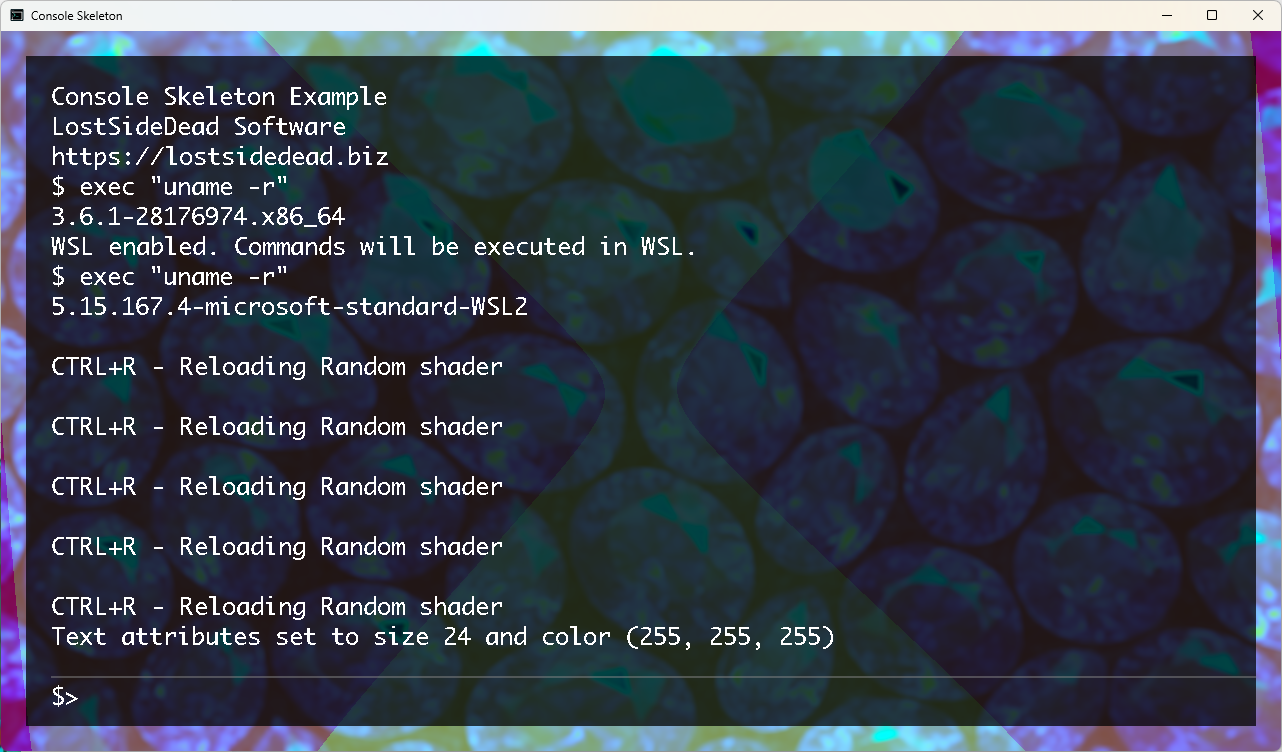
Console Skeleton is an OpenGL-based interactive console application that combines a command-line interface with real-time visual effects. Built on the MX2 framework, it provides terminal-style workflows, MXCMD script execution, and cross-platform support including Windows WSL.
Core Components
- Interactive Console: Full-featured terminal with scrolling, history, and scripting language
- MXCMD Integration: Execute MXCMD scripts with and execute commands
- Shader System: Real-time visual effects with customizable fragment shaders
- Cross-Platform: Native support for Linux/macOS with Windows WSL integration
- Thread-Safe Operations: Multi-threaded command execution with main thread task queuing
Architecture
The application follows a modular architecture with clear separation between the console interface (GLConsole),
the command execution engine (AstExecutor), and the rendering system (Game class).
The main components include:
- Game Class: Handles OpenGL rendering, shader management, and input processing
- MainWindow: SDL2/OpenGL window management with console integration
- Console System: Text rendering, scrolling, input handling, and command history
- Command Processor: MXCMD script parsing and execution with interrupt support
Key Features
Console Features
- Scrollable text output with mouse wheel and page up/down support
- Command history navigation (up/down arrows)
- Real-time text rendering with custom font support
- Thread-safe message queuing for command output
- Configurable prompt and console appearance
Visual Effects
- Dynamic shader switching with 10+ built-in effects
- Real-time time-based animations
- Custom GLSL fragment shader support
- Keyboard shortcuts for quick shader changes
Command System
- Built-in console commands (clear, about, help, exit)
- MXCMD script execution with full language support
- Windows WSL integration for cross-platform commands
- Command echo control and debugging features
Built-in Commands
| Command | Description |
|---|---|
random_shader |
Apply a random visual shader effect |
default_shader |
Reset to the default shader |
set_shader "path" |
Load a custom shader from file path |
wsl_on/wsl_off |
Enable/disable WSL command execution (Windows only) |
clear |
Clear the console output |
about |
Display application information |
help |
Show available commands |
@echo_on/@echo_off |
Control command echoing |
Keyboard Shortcuts
| Key Combination | Action |
|---|---|
Ctrl+R |
Apply random shader effect |
Ctrl+C |
Apply Command Interrupt |
Page Up/Down |
Scroll console output |
Up/Down Arrows |
Navigate command history |
Escape |
Close application |
Usage Example
# Basic console interaction
$ random_shader                    # Apply random visual effect
$ clear                            # Clear console
$ @echo_on                         # Enable command echoing

# MXCMD script execution
$ cmd "script.mxcmd"              # Execute MXCMD script file

# WSL integration (Windows)
$ wsl_on                          # Enable WSL for commands
$ exec "ls -la"                   # Execute Linux commands via WSL

# Shader customization
$ set_shader "data/shaders/custom.glsl"  # Load custom shader
$ default_shader                         # Reset to default
Building and Running
# clone the repository
# have libmx2 and other dependencies installed
# Build the project
cd cmd/build
cmake .. -DCMD=ON -DSHARED=ON -DCONSOLE=ON
cmake --build .

# Run the console
./cmd-console

# With custom parameters
./cmd-console -p /path/to/assets -r 1920x1080
Technical Details
- Graphics: OpenGL 3.3+ with SDL2
- Language: C++20 with modern STL features
- Threading: Multi-threaded with mutex-protected console operations
- Platforms: Linux, macOS, Windows (with WSL support)
- Dependencies: SDL2, SDL2_TTF, OpenGL, libmx2 framework