Overview
ACMXVK is the Vulkan rendering backend for ACMX. It preserves the media, performance, shader-library, audio, MIDI, playlist, recording, and live-coding workflow of ACMX2 while replacing the libmx2/OpenGL renderer with MXVK and Vulkan SPIR-V pipelines. The same Qt interface can select either backend from the Backend menu.
ACMXVK is usable for camera, video, and still-image processing on Linux, macOS, and Windows. Its principal runtime paths, shader authoring tools, recording system, HDR pipeline, headless processing, and interface integration are implemented. It is not a byte-for-byte replacement for ACMX2: OpenGL GLSL sources must be adapted to the Vulkan descriptor interface and compiled to SPIR-V, and a subset of legacy MIDI actions and CUDA-filter combinations remain backend-specific.
Visual Tour and Linux Demonstration
The shared ACMX interface manages Vulkan source libraries, build health, custom controls, shader editing, and the running ACMXVK process from one workspace.
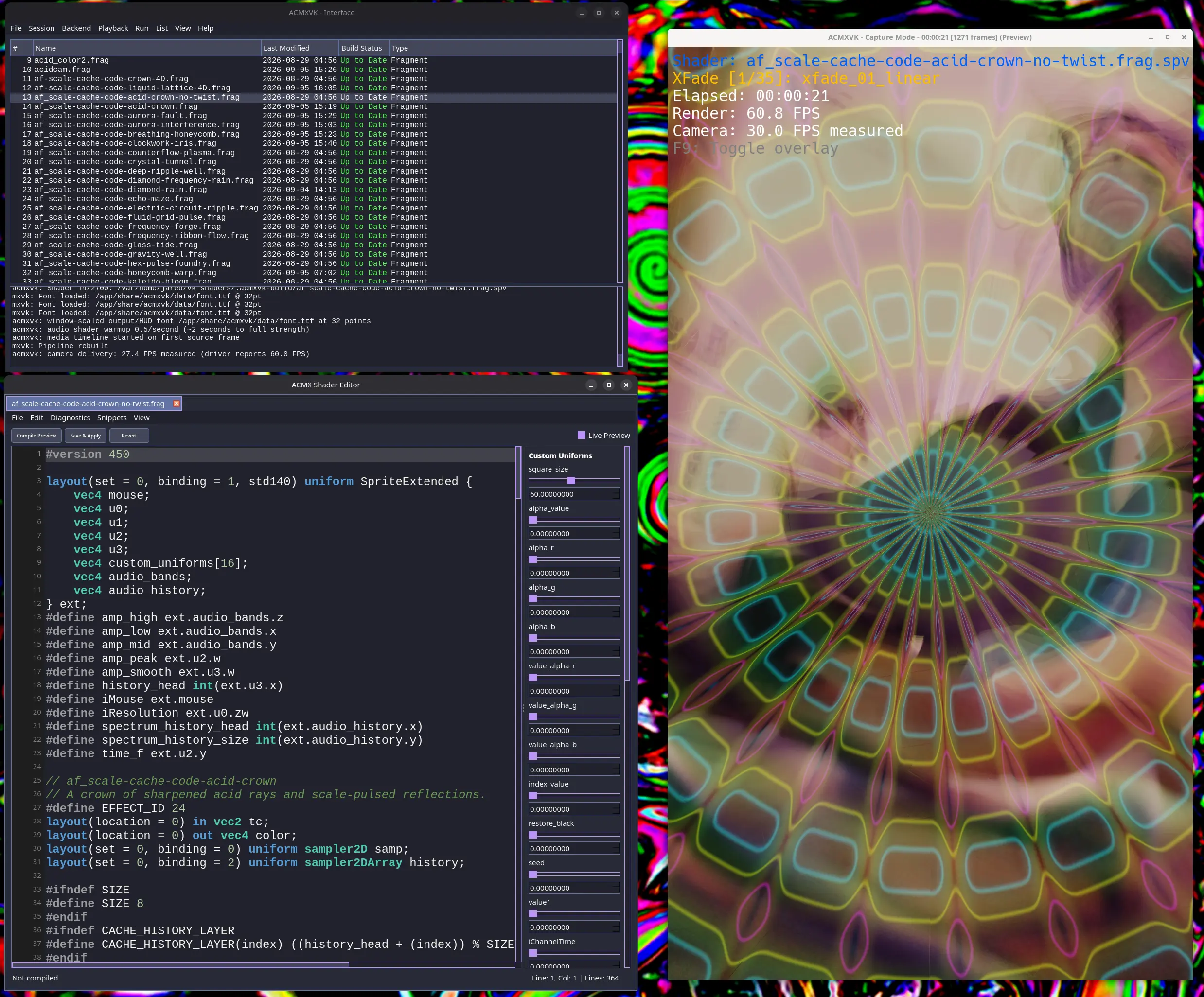
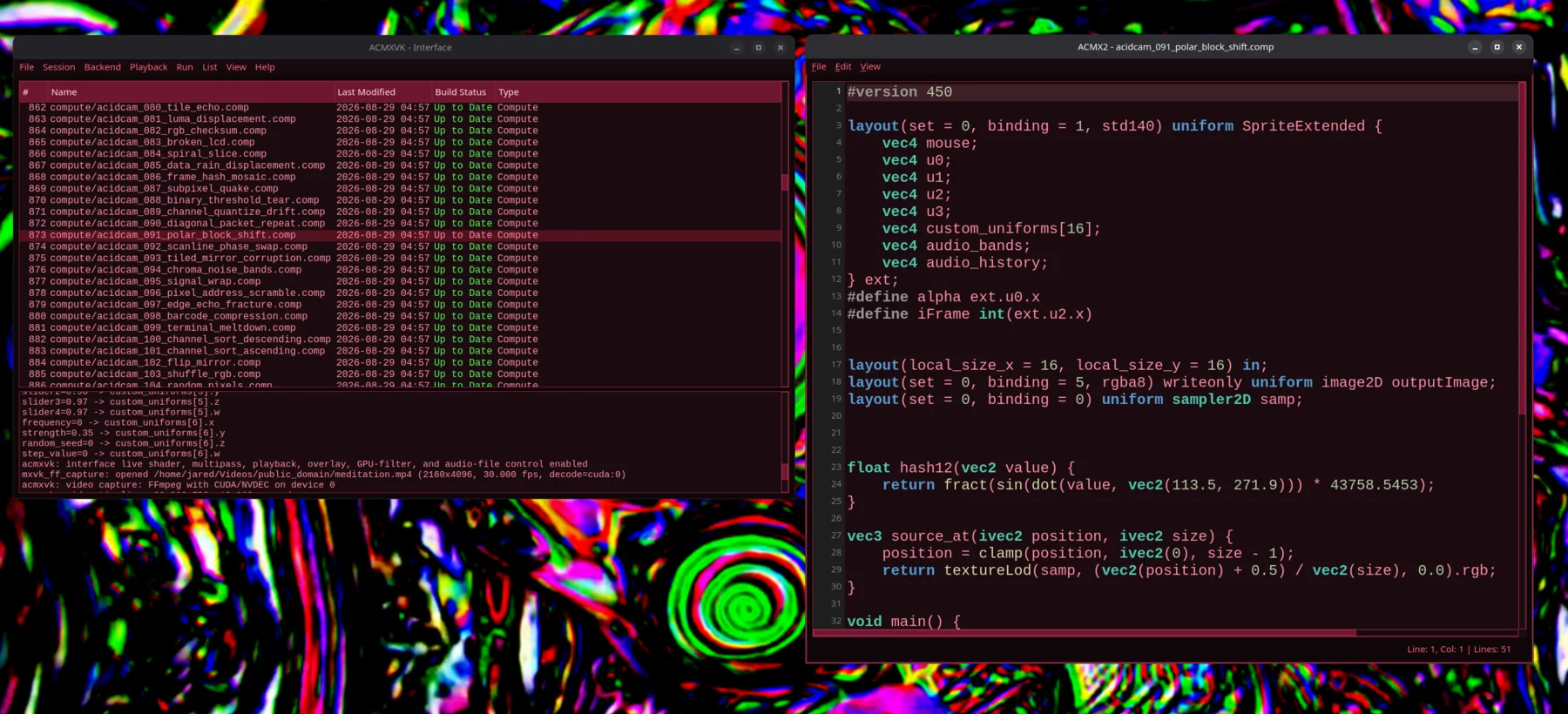
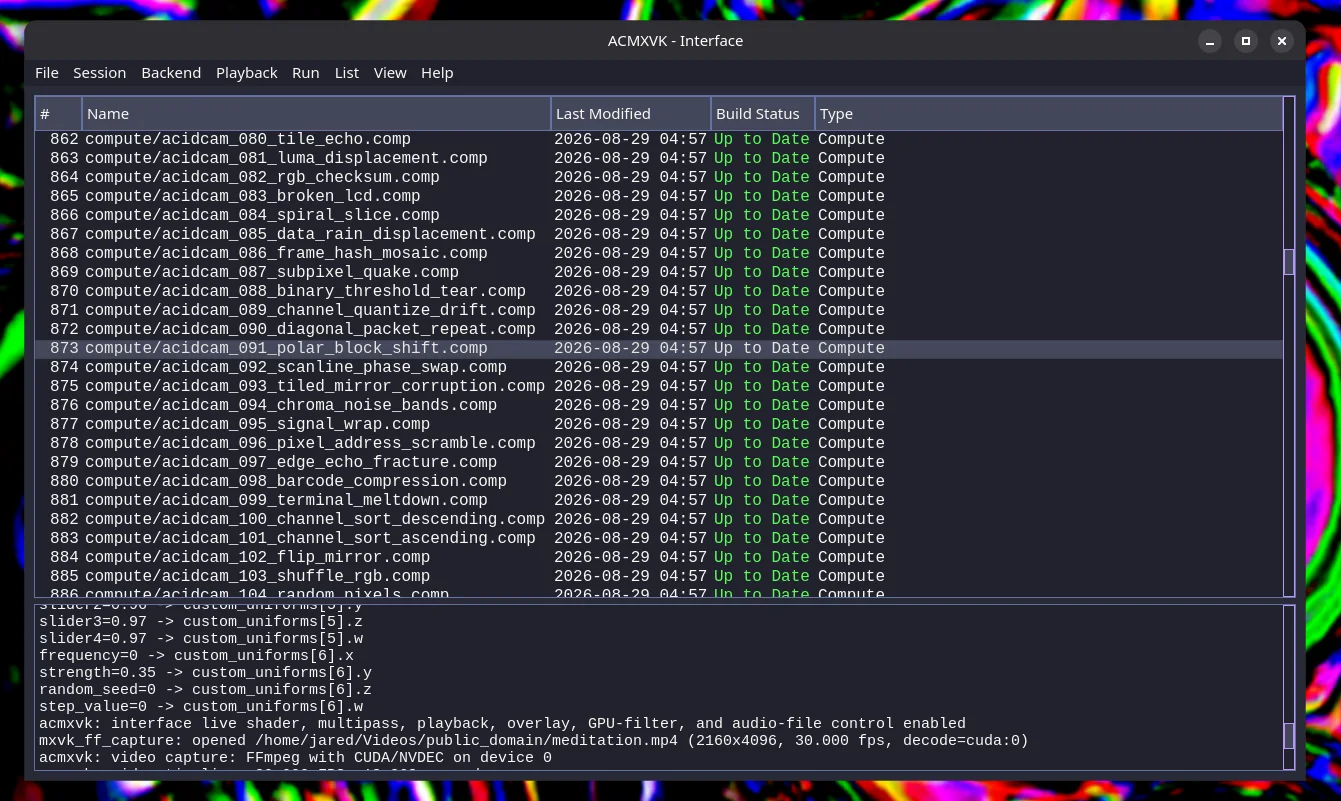
ACMX running on Linux with its dual-backend shader workflow.
Architecture
ACMXVK is organized around several cooperating layers:
- ACMX interface: Selects the backend, media source, shader library, custom uniforms, multipass chain, playlist, audio/MIDI configuration, and recording options. It builds Vulkan source libraries and forwards live control changes through a synchronized shared-memory channel.
- ACMXVK application: Validates command-line and configuration input, manages media clocks and runtime state, assembles shader passes, and coordinates capture, processing, overlays, snapshots, and encoded output.
- MXVK: Owns Vulkan instance/device setup, presentation or surface-free headless rendering, sprites, model rendering, descriptor resources, fragment/compute pipelines, offscreen targets, frame history, and optional CUDA/Vulkan interoperability.
- MXWrite: Encodes video through FFmpeg libraries and supports timestamped output, software and hardware codecs, HDR Main10 output, and audio muxing.
- Optional processors: RtAudio, RtMidi, OpenCV DNN, and acidcam-gpu add live audio analysis, hardware control, ONNX effects, and CUDA filters when enabled at build time.
The application entry point is kept small. The render-window class is declared in ACMXVK/main_window.hpp, while reusable application services are grouped under ACMXVK/app/. These services cover options, resource discovery, manifests, playlists, media probing, output paths, interface IPC, and asynchronous snapshots.
Rendering Pipeline
Each frame moves through a source-sized rendering pipeline. Window dimensions affect only presentation: an oversized or portrait source is fitted into the available display while shader evaluation, snapshots, readback, and recording retain the requested or negotiated source resolution.
The typical order is:
- Acquire a camera, video, or still-image frame.
- Rotate or preprocess it, optionally using DNN or CUDA filters.
- Upload it to the Vulkan source texture.
- Execute the selected fragment/compute pass or ordered multipass chain.
- Update and expose texture history when required.
- Apply optional crossfade, 3D model mapping, watermark, or output labels.
- Read back the source-sized result for snapshots or MXWrite recording.
- Tone-map HDR content for an SDR preview and present a fitted window image.
Fragment and compute passes can be mixed. MXVK records the necessary resource transitions and synchronization between dependent passes so that the output of one stage is safe to consume by the next stage. Compatible fragment shaders can run directly on model UVs in 3D mode; compute, history-dependent, and multipass effects render to an offscreen image that becomes the model texture.
Stable Diffusion and ESRGAN Processing
When built with -DWITH_STABLE_DIFFUSION=ON, ACMXVK can launch one local compatible stable-diffusion.cpp sd-server and retain the selected image-to-image model across video frames. The generated image enters the normal Vulkan shader chain, so fragment and compute effects remain usable as post-processing stages. Image-to-image mode supports prompts, negative prompts, seed and sampler controls, weighted LoRA adapters, preview, and constant-frame-rate encoded output.
The server can also provide ESRGAN or RealESRGAN upscale. In full image-to-image mode, an upscale model can replace the built-in Vulkan compute upscale. The lightweight –sd-upscale-only mode instead sends each source frame directly to the server's ESRGAN endpoint before the shader chain; it does not load a Stable Diffusion generation model and therefore needs much less VRAM. –sd-upscale-size WxH selects the ESRGAN working resolution before the final ACMXVK output resize. The shared Qt interface exposes these same choices in Stable Diffusion Settings.
The Flatpak bundles a Vulkan-enabled sd-server, but no neural model weights. Users must select their own compatible Stable Diffusion, LoRA, or ESRGAN model files. See ACMXVK/README.md for build requirements, commands, supported combinations, and current limitations.
Shader Libraries and Live Coding
The preferred source-library manifest is library.json. Entries identify relative .frag, .comp, or precompiled .spv files and may declare custom uniforms. ACMXVK also reads legacy index.txt libraries. Relative paths may include subdirectories, which allows fragment and compute sources to remain logically grouped.
An ACMXVK source library is built with:
The build is incremental: unchanged valid modules are reused. –fix continues after compiler failures and omits failed entries from the generated runtime manifest. Destructive archival pruning requires both –prune and –force. The Qt interface exposes these workflows as Build, Fix Build, and Remove Broken actions and reports each source's build health as Up to Date, Stale, or Not Built.
While a backend is running, saving an active .frag or .comp file compiles only that source to a unique temporary module. The interface checks the SPIR-V header and atomically publishes it only after a successful compile. ACMXVK then validates the replacement against the active manifest and rebuilds the affected fragment, compute, multipass, playlist, or 3D pipeline. Compiler failure leaves the previous working module active and sends the full diagnostic to the interface log.
Shader Interface
Vulkan shaders use explicit descriptor bindings and a shared extended-uniform block. The complete authoritative layouts and examples are documented in ACMXVK/README.md; the key resources are:
- Binding 0: current input image or sampler used by the pass.
- Binding 1: extended runtime uniform data, including resolution, time, mouse, audio metrics, history state, and up to 64 custom float values.
- Binding 2: the runtime-sized sampler2DArray frame-history ring when a shader declares it.
- FFT bindings: current spectrum and optional spectrum-history textures for audio-reactive effects.
Custom values declared in library.json map by slot into custom_uniforms[16], four floats per vector. The interface can create, remove, range-limit, copy the generated GLSL definition for, and modify these values. Standard names such as slider1 through slider4 can be driven by command-line overrides, the interface, or MIDI maps.
Shaders should use the supplied video/media clock rather than assuming that wall-clock time equals processing time. This makes an effect advance consistently whether a frame renders faster or slower than real time.
Media, Timing, and Audio
Video files prefer MXVK's FFmpeg capture path. On a compatible NVIDIA build, NVDEC frames can remain on the GPU through rotation, optional acidcam-gpu filters, history upload, and Vulkan texture ingestion. Other systems use the portable decode/upload path.
–use-source-fps provides real-time playback paced by the media clock, waiting when rendering is early and skipping decode work when late. –maximize-fps decouples camera acquisition from presentation so the shader can render at a requested rate while the camera updates at its measured rate. File processing that is intended to run as fast as possible still uses decoded media timestamps for shader time, so visual motion is independent of machine throughput.
When audio support is enabled, reactivity can come from a microphone, audio file, playlist, or the input video's own track. Shaders receive amplitude, peak, RMS, low/mid/high bands, current FFT data, and optional FFT history. Audio may be passed to a selected output device, recorded independently to WAV, or muxed into video. –mute-output keeps audio analysis and optional pass-through active while excluding audio from the recorded video.
Recording, HDR, and Headless Processing
MXWrite accepts source-timeline presentation timestamps, which keeps camera recordings at wall-clock duration even when high-resolution effects render below the requested frame rate. Video-file output remains synchronized to the decoded media timeline. Encoder selection supports software and hardware codecs, codec-specific options, constant-quality settings, target bit rate, duration/size limits, and optional audio muxing.
The completed HDR path detects 10-bit BT.2020 PQ or HLG input, decodes it to linear BT.2020, preserves high precision through source, multipass, compute, history, crossfade, and 3D targets, and writes HEVC Main10 output with color and luminance metadata. Windowed previews and ordinary PNG/WebP snapshots are tone-mapped to SDR; TIFF and raw snapshots can retain normalized 16-bit data.
–headless and its compatibility alias –silent run a surface-free Vulkan render without creating an SDL window. Headless operation is restricted to recording jobs and intentionally disables the –interface-shm live-control channel. Ctrl+C requests an orderly shutdown so the writer can flush and finalize its container.
For a repeated file source, headless mode requires a positive –duration. The duration defines the complete batch target rather than the first source pass, allowing the terminal to report media time, wall elapsed time, encoded frame count and size, percentage, and an estimated remaining render time across every loop. A typical deterministic batch command is:
Use –constant-frame-rate with –no-drop when a downstream editor needs evenly spaced encoded timestamps. Source-audio analysis, HDR, Deep Dream, Stable Diffusion, and supported shader chains remain available in headless jobs; their exact command combinations are documented in ACMXVK/README.md.
Three-Dimensional Mode
ACMXVK uses MXVK's OBJ/MXMOD loader for 3D rendering. The input image or video becomes the object's texture, and the initial camera is centered inside the normalized model as a wide-angle skybox view with automatic rotation disabled. OBJ, MXMOD, and compressed MXMOD files are accepted. Controls provide mouse or keyboard look, forward/back movement, model scaling, automatic rotation, camera-distance oscillation, and model-wave deformation. See ACMXVK/Controls.md for the complete keyboard, mouse, and MIDI mapping.
Validation and Portability
User-controlled strings pass through centralized validation before use. This includes command-line values, environment paths, manifests, playlists, MIDI maps, encoder options, live-control messages, dimensions, numeric ranges, and SPIR-V binaries. File sizes, line lengths, entry counts, and supported extensions are bounded to reject malformed input early.
The backend supports Linux, macOS through MoltenVK, and Windows. Camera-mode probing uses V4L2, AVFoundation, or DirectShow as appropriate. Runtime resource discovery supports an explicit path, an environment override, executable- relative installed data, and development-tree fallbacks. The interface-control transport uses the platform's native shared-memory implementation; Windows and POSIX platforms expose the same versioned protocol behavior.
Building ACMXVK
From the repository root, after installing MXVK and its dependencies:
Optional switches include WEBP, TIFF, WITH_OPENCV_DNN, and WITH_CUDA. CUDA requires compatible CUDA-enabled MXVK, OpenCV, and acidcam-gpu installations and is not available on macOS. A Pcons build is also provided; its current portable path does not build the optional acidcam-gpu CUDA filter integration.
Current Project Status
As of ACMX 2.139.0, both rendering backends are delivered through one Qt interface and are actively usable:
- ACMX2/OpenGL remains the mature compatibility path for existing GLSL libraries and the complete legacy performance workflow.
- ACMXVK/Vulkan is the modern path for explicit fragment/compute SPIR-V pipelines, source-library builds, HDR, headless recording, Vulkan history, and direct MXVK integration.
- Cross-platform delivery covers the Linux Flatpak and a Windows beta; native Linux, macOS/Apple Silicon, and Windows builds have been exercised.
- Shared authoring includes shader browsing, custom uniforms, multipass editing, playlists, compiler diagnostics, incremental builds, and live preview/reload for both backends.
Remaining work is primarily compatibility hardening and continued validation across drivers, codecs, capture devices, and older ACMX2 shader or MIDI assets. The Vulkan backend's feature status is tracked in ACMXVK/README.md, and the command's –help output remains the definitive CLI reference.
For neural pixel-gradient processing, supported models, interface controls, and the complete CUDA LibTorch build procedure, see Deep Dream.